Adobe Commerce Activation and Configuration (Beta)
Description
What's in this article?
Adobe Commerce (formerly Magento) is a unified commerce solution that lets you manage all content and products in one place, whether you own more than one brand, sell in several countries, or use different business models.
Requirements
In addition to a Merchant Services account with Bank of America, the following is required:
- A live website
- A live account with Adobe Commerce
NOTE:
Any existing tokens for recurring payments would need to be re-established after activation with Bank of America.
Configure payment settings
IMPORTANT!
All prerequisite steps must be completed prior to configuring payment settings. For detailed prerequisite information or assistance, please contact Adobe Commerce. When engaging with Adobe Commerce Support, be sure to specify that you are using the CyberSource Extension (Visa Acceptance) to process payments.
Set up your payment settings in Adobe Commerce for a live (production) environment or a test (sandbox) environment.
Generate security keys and configure payments
- Generate the required REST security keys for the appropriate environment (live or test).
- Log in to the Adobe Commerce (Visa Acceptance Solutions) dashboard using your credentials.
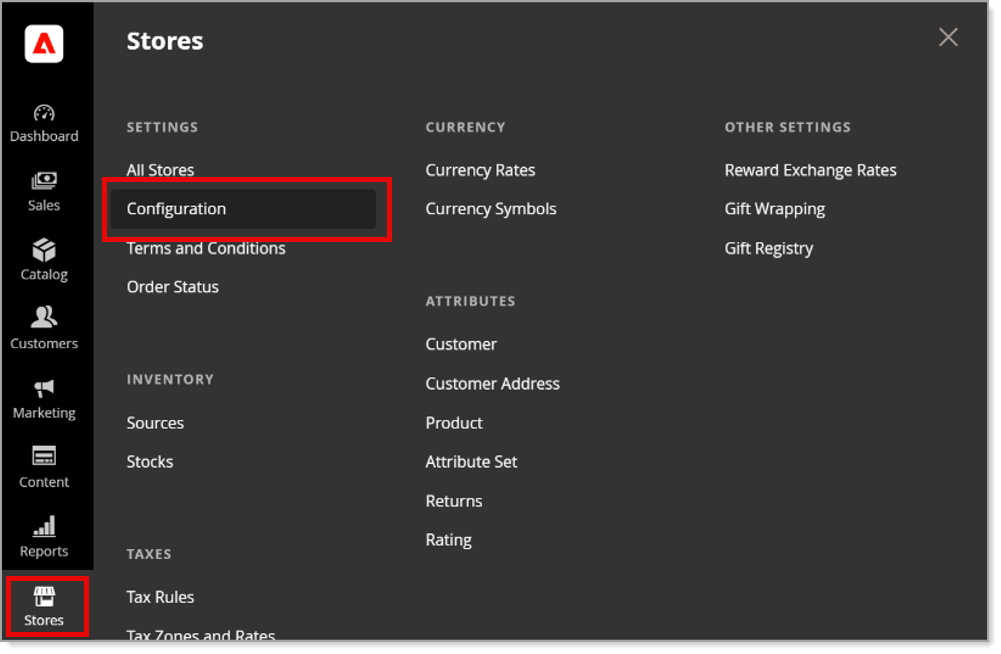
- Click Stores.
- On the Stores page, click Configuration.
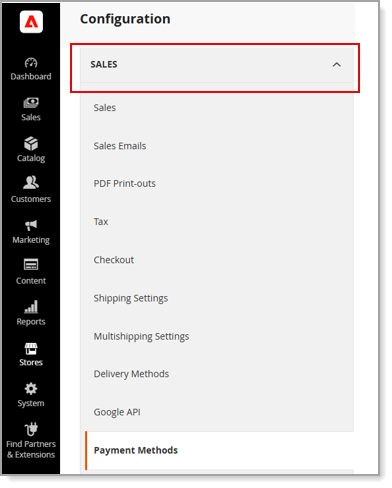
- Click Sales.
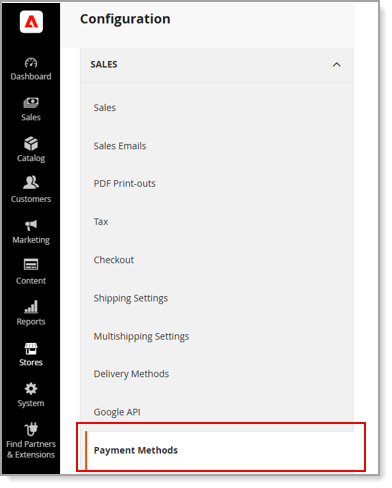
- Select Payment Methods.
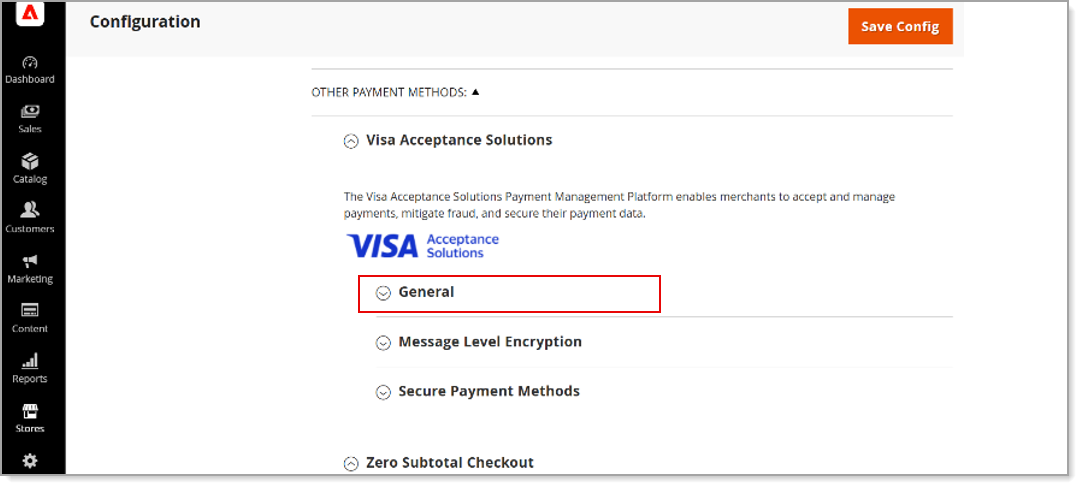
- Select Visa Acceptance Solutions.
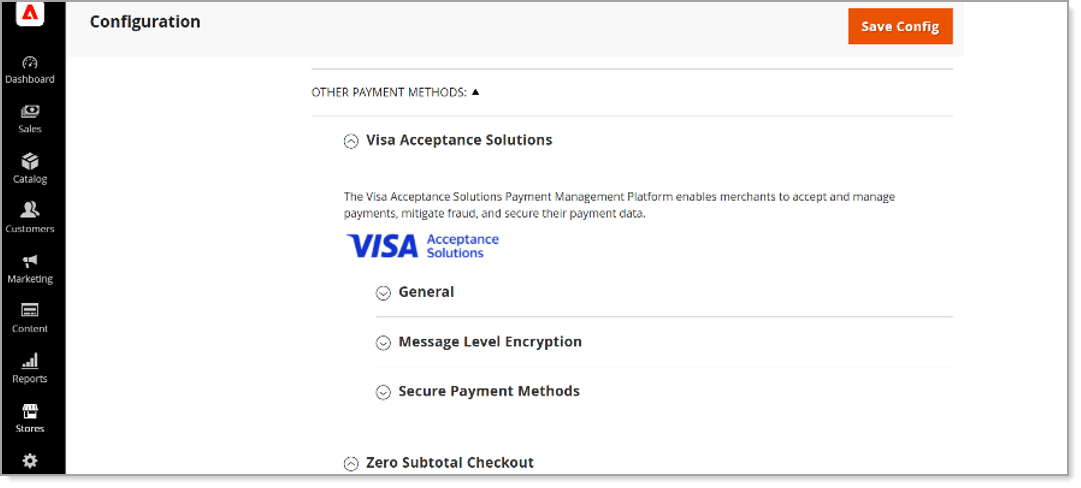
- Expand the General dropdown to complete the following required fields:
Fields and descriptions Field Description Environment · Select Production in the dropdown to configure the Live payment environment.
· Select Sandbox in the dropdown to configure the Test payment environment.Merchant ID Enter your Merchant ID API Key Enter the REST Key ID API Shared Secret Enter the REST Shared Secret Key Debug Select No. Selecting Yes is only recommended for the test environment or troubleshooting issues in Production.· Embedded: the payment widget appears inline in the checkout page.
· Sidebar: the payment widget appears on the right side of the screen. - Expand the Secure Payment Methods dropdown to complete all fields.
Fields and descriptions Field Description Enabled Select Yes to enable the extension. Title This is the label your customers will see on the checkout page. Payment Action · Authorize and Capture will automatically capture the transaction if the authorization is approved.
· Authorize will only send an authorization request and if approved, you will need to manually authorize a capture.Payment Card Types Select the card brands you want to offer your customers Allowed Payment Methods Select the payment methods you want to offer your customers. Note you must enable these for your MID in Business Center. Select Layout · Embedded: the payment widget appears inline in the checkout page.
· Sidebar: the payment widget appears on the right side of the screen.Payment from Applicable Countries · All Allowed will use the Adobe Commerce global settings to determine which countries are available.
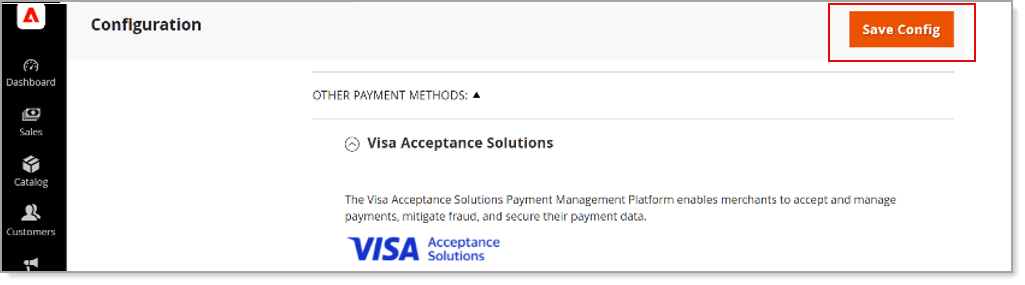
· Specific Countries: Manually choose which countries you want to accept payments from.Payer Authentication / 3-D Secure Choose Yes to enable 3-D Secure. Tokenization Choose Yes to allow your customers to save their payment cards for future purchases. Tokenization Title This is the label your customers will see when they go to pay with a saved card Saved Card Verification Choose Yes to request your customer enter their card security code when paying with a saved card. Enforce Strong Customer Authentication Choose Yes to enforce a 3-D Secure challenge when a customer saves their card for the first time. - Select Save Config.
To run a test transaction
Migrate to your website to run a test transaction.
NOTE:
The ISV platform configuration and implementation for your Adobe Commerce account must be fully completed before test transactions can be validated. If you require assistance with configuring or implementing your Adobe Commerce account, please review the resources listed below prior to contacting Adobe Commerce Support.
To disconnect payments through Bank of America
If you need to disconnect payments through Bank of America, contact Adobe Commerce.
IMPORTANT!
When engaging with Adobe Commerce Support, be sure to specify that you are using the CyberSource Extension (Visa Acceptance Solutions) to process payments.