Basic Payment Solution - Medical Help & Support
Description
What's in this article?
Help and support are available to your 24/7 through the Merchant Help Center and Customer Support. You can access the Getting Started guide for Basic Payment Solution from the Help & Support option within the app menu. The Help & Support option provides information about your application version, the terminal serial number and other identifying information, and where you can perform a Ping test to test your internet connection.
To access, tap Menu > Help & Support. 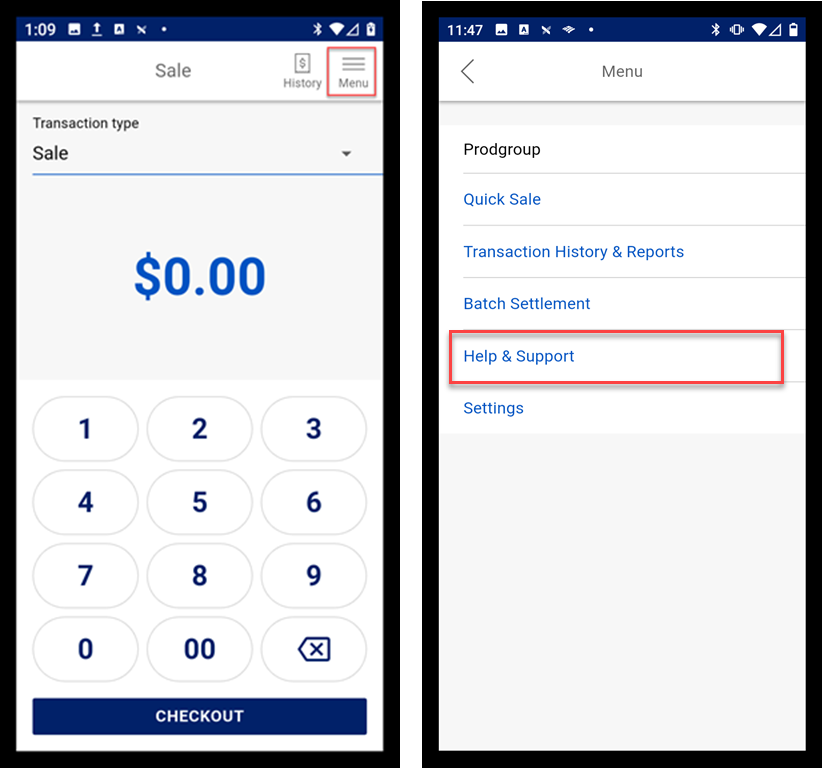
Ping test
A ping test is a network diagnostic tool used to verify the reachability of a device on a network and to measure the time it takes for data to travel between two points. It sends a small data packet to a target device and measures how long it takes to receive a reply. This information helps in troubleshooting network connectivity issues and assessing the responsiveness of a network connection.
To test your network connection
- Tap Menu > Help & Support.
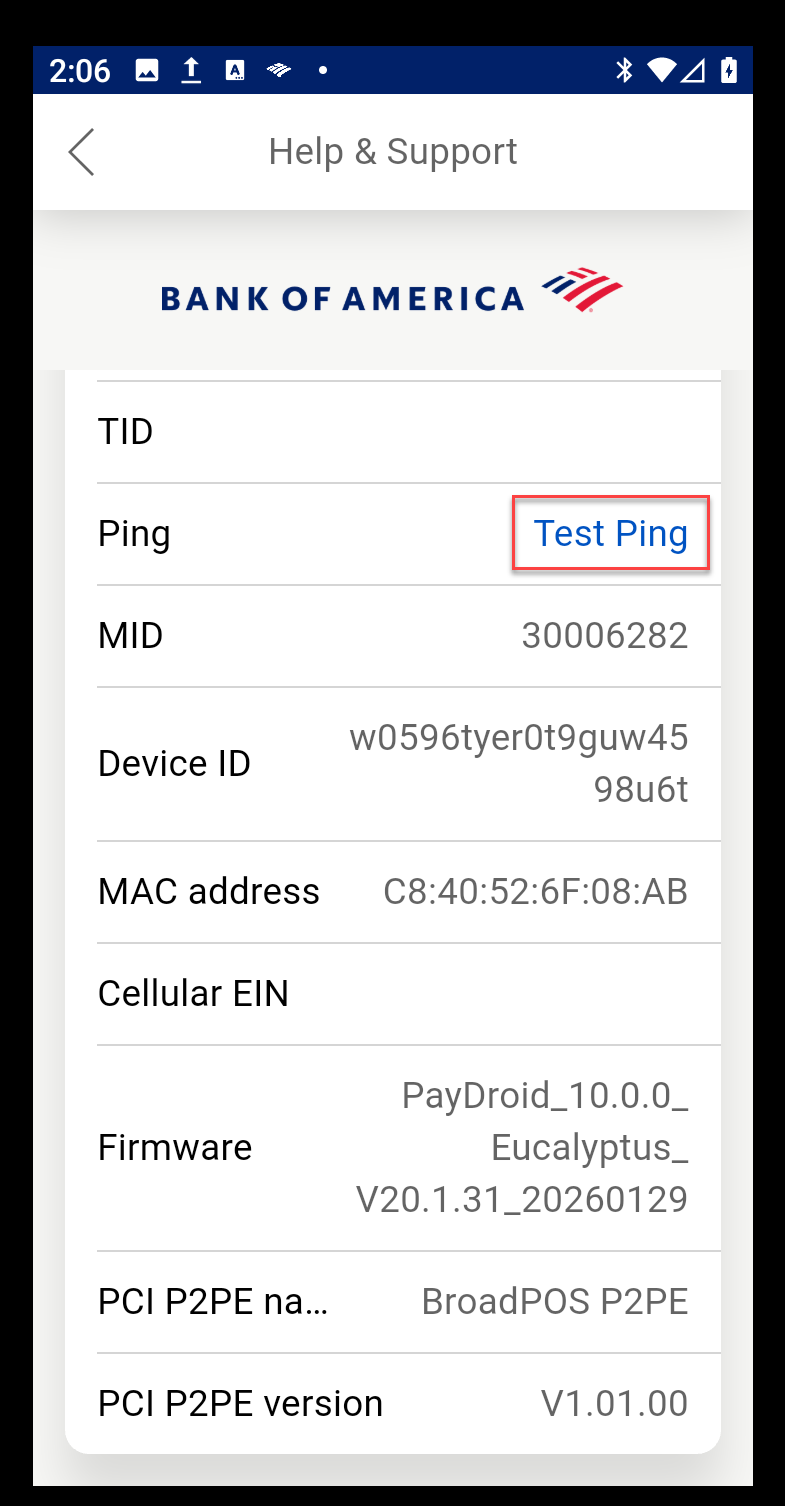
- Tap Test Ping to test your internet connection,. You can use the default URL option and timeout settings or enter your own URL and timeout settings.
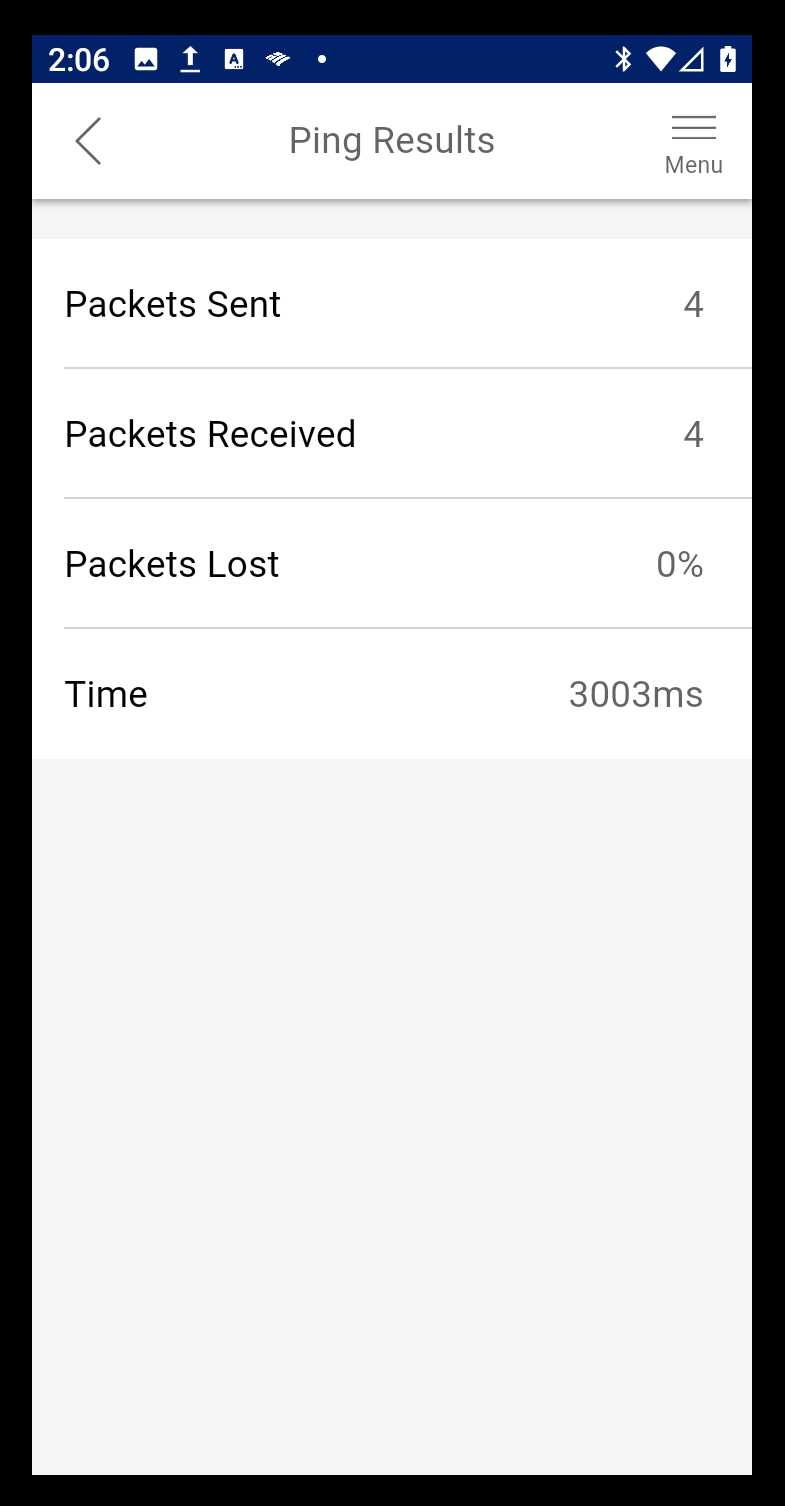
- Tap Start Ping to begin the test. The Ping test result display when the test completes.