Oracle NetSuite Activation and Configuration (Beta)
Description
What's in this article?
Oracle NetSuite is a cloud‑based business management platform that helps organizations manage their core business operations within a single integrated system.
Requirements
In addition to a Small Business Merchant Services account with Bank of America, the following is required:
- A live website
- An live NetSuite account
NOTE:
Any existing tokens for recurring payments must be re-established after activation with Bank of America.
Configure payment settings
IMPORTANT!
Complete all prerequisite steps before configuring payment settings. For detailed prerequisite information or assistance, please contact NetSuite Support. When engaging with NetSuite Support, specify that you are using the CyberSource Extension (Visa Acceptance Solutions) to process payments.
You can configure payment settings in NetSuite for a production and/or test environment.
Generate security keys and configure payments
- Generate the required REST security keys for your selected environment (test or production).
- Log in to your NetSuite account.
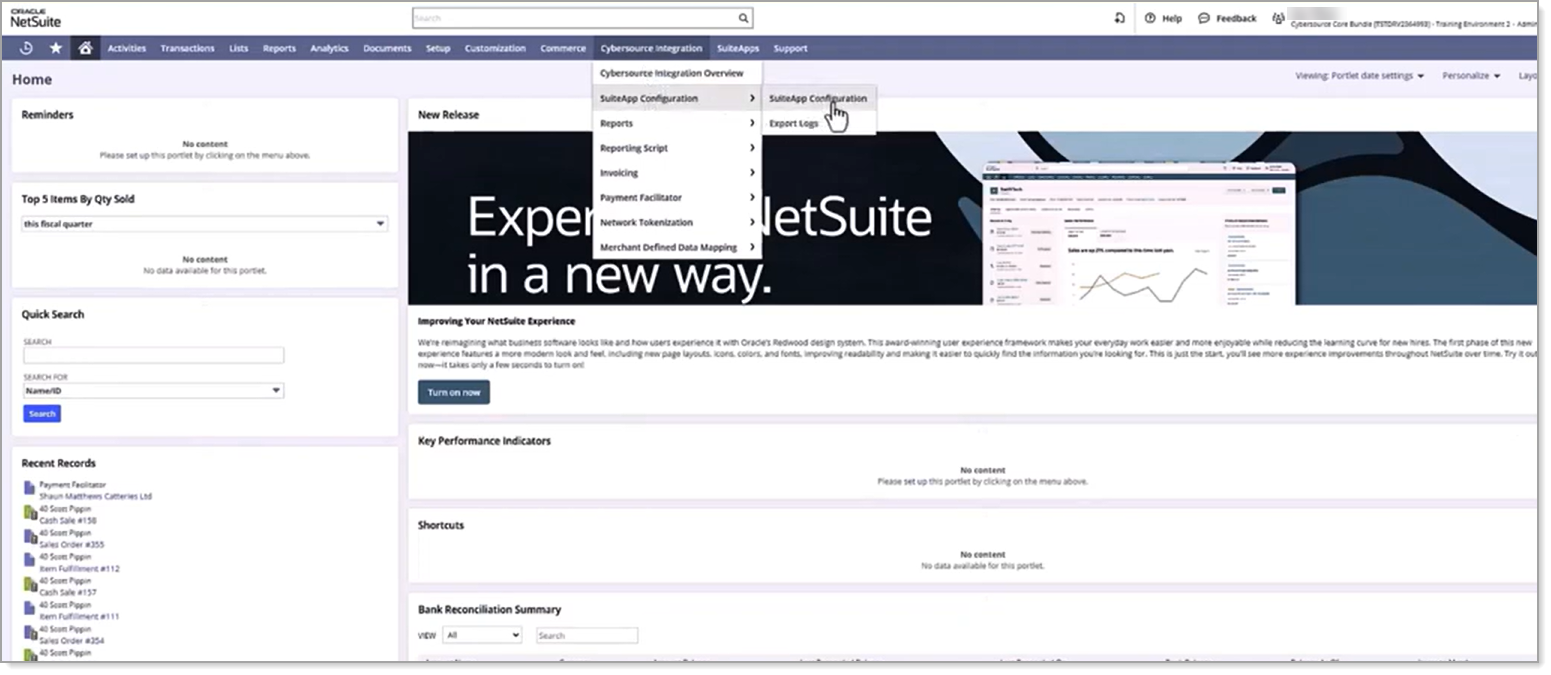
- Navigate to Cybersource Integration > SuiteApp Configuration > SuiteApp Configuration.
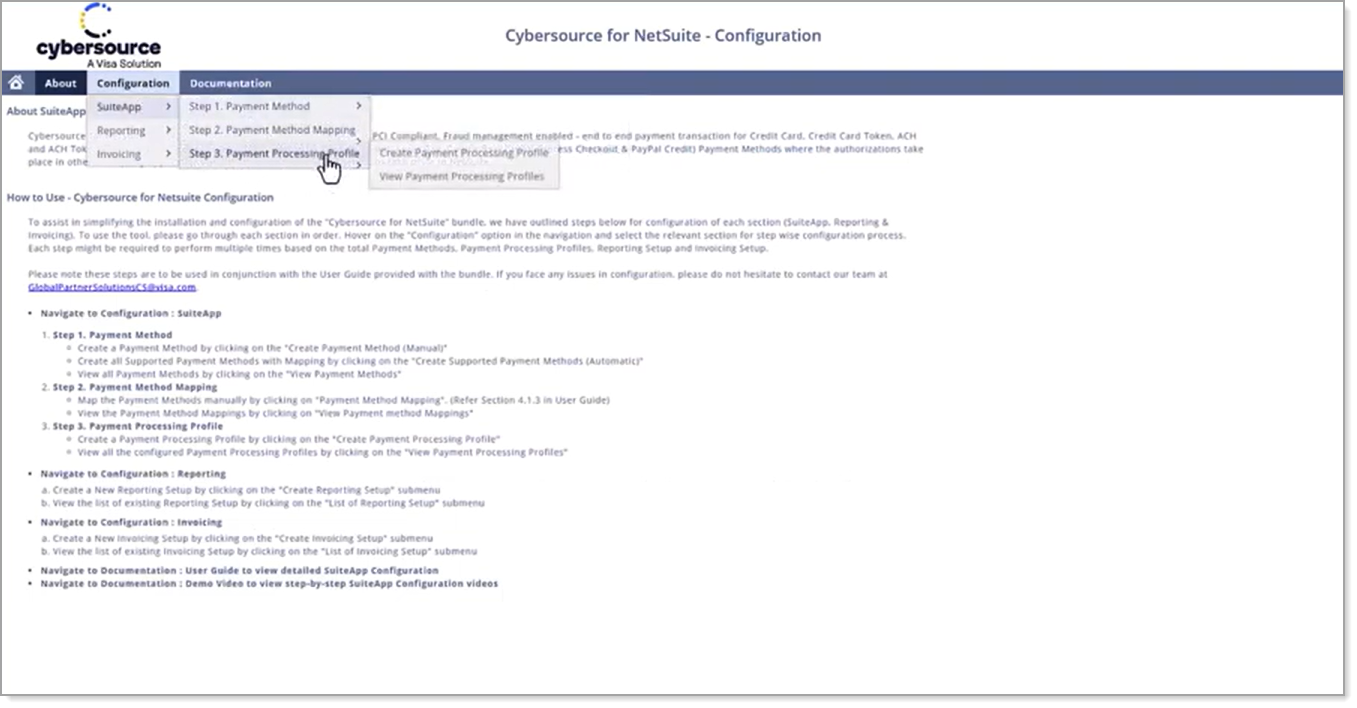
- Select Configuration > SuiteApp > Step 3. Payment Processing Profile > Create Payment Processing Profile.
- In the CyberSource for NetSuite Payment Processing Profile window, complete the following required fields:
- Profile Name - Enter a descriptive name (for example, CyberSource – Production or CyberSource – Sandbox).
- Test Mode
- Select the Test Mode checkbox to configure the Test/Sandbox payment environment.
- Clear the Test Mode checkbox to configure the Live/Production payment environment.
- In the CyberSource Payment Configuration section, complete the Merchant ID field by entering your Bank of America Merchant ID for the selected payment environment.
- In the Keys Configuration section, complete the following fields:
- Key ID – Enter the REST Key ID
- Secret Key – Enter the REST Shared Secret Key
- Review all entered information for accuracy, then click Save.
The CyberSource Extension (Visa Acceptance Solutions) is successfully connected to NetSuite when the Payment Processing Profile displays a status of Active, the associated payment methods show as Configured, and no configuration errors are present.
To run a test transaction
Navigate to your website to run a test transaction.
NOTE:
The ISV platform configuration and implementation for your NetSuite account must be fully completed before test transactions can be validated. If you require assistance with configuring or implementing your NetSuite account, please review the resources listed below prior to contacting NetSuite Support. When engaging NetSuite Support, be sure to specify that you are using the CyberSource Extension (Visa Acceptance Solutions) to process payments.
To disconnect payments through Bank of America
If you need to disconnect payments through Bank of America, contact NetSuite for assistance.
IMPORTANT!
When engaging with NetSuite Support, be sure to specify that you are using the CyberSource Extension (Visa Acceptance Solutions) to process payments.