Point of Sale Solution Back Office Marketing Settings
Description
How to adjust marketing settings in the Point of Sale Back Office
What's in this article?
Software Plan: Growth | Pro
For clients that have a Point of Sale Solution software plan that includes a marketing account, Marketing Settings allows you to:
- View the assigned phone number and email for text and email messaging campaigns.
- Review your messaging plan.
- View and edit customer segments for targeted promotions.
Target segments are based on criteria that includes number of days since last visit and accrued loyalty point value. Each set has default criteria, but they can be adjusted to better target the audience for your marketing campaigns. After finalizing your marketing settings, marketing features become available within 3-5 business days.
- *music*
- This video covers how to review marketing settings and edit customer segments in the Point of Sale Solution Back Office.
- To manage marketing settings, click Marketing in the menu, then Settings. Here you will see Campaign sources like the assigned phone number and email for text and email messaging campaigns.
- Your Messaging plan shows your monthly message allowance based on your plan, along with the number of messages sent and available for the current month.
- Customer segments group customers based on their purchasing behavior and loyalty making it easier to tailor campaigns like welcome promotions for new customers, or exclusive offers for high value customers.
- Click Edit segments to define your own customer segment parameters. New customers are defined by how recently they've made their first purchase. Regular customers by how recently they've made a purchase, Inactive customers by how long it's been since their last purchase, and High-value customers by their loyalty points.
- When you have finished your edits, click Save.
- *music*
To adjust marketing settings
- In the Point of Sale Solution Back Office, select Marketing > Settings.
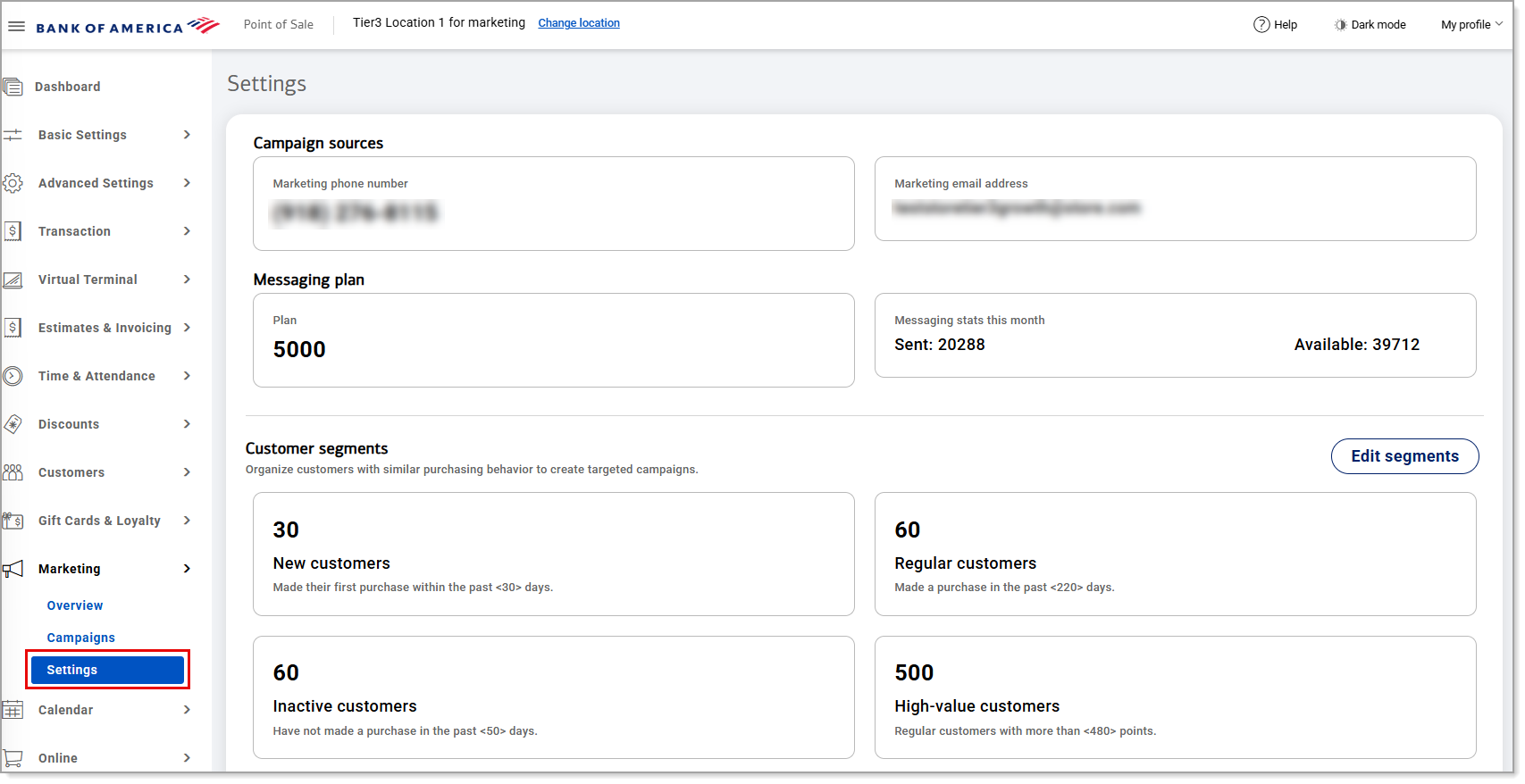
- If you were approved for text message campaigns and have not already selected one, select a phone number to use for your marketing campaigns,. This is not a number for your business, but campaigns only. Enter an area code and select a phone number.
- For each customer segment you would like to initiate marketing campaigns for, either:
- Keep the default setting or
- Click Edit segments, enter a new value, and then click Save to apply changes.
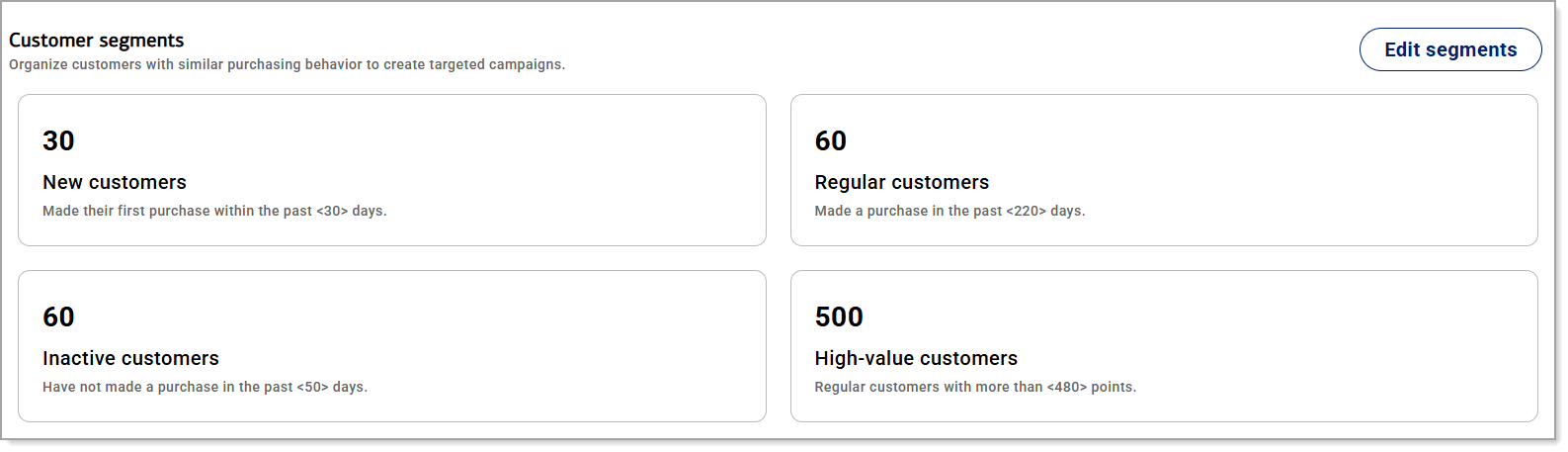
Customer Segment Definitions Customer segment Default definition New customers Customers who made their first purchase within the past 30 days. Regular customers Customers who made a purchase in the past 220 days. Inactive customers Customers who have not made a purchase in the past 50 days. High-value customers Customers with more than 480 points.
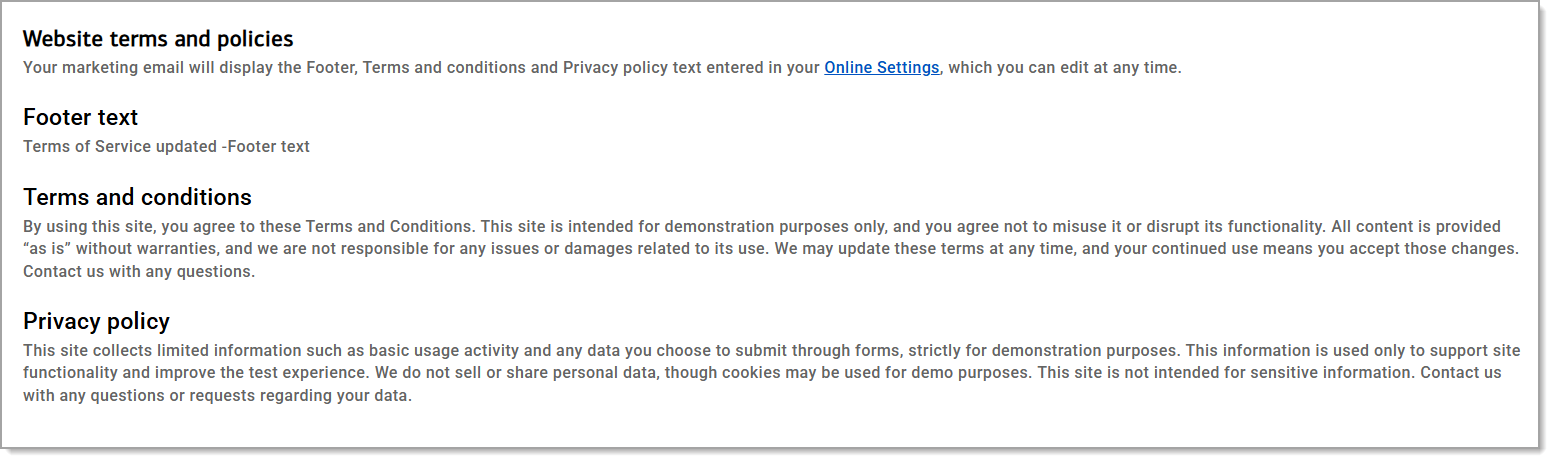
- Review and update your terms and policies, as needed. Your marketing email will display the same footer, terms and conditions, and privacy policy that you have configured for your online site.