Spreedly Activation and Configuration (Beta)
Description
What's in this article?
Spreedly is a payment orchestration platform that allows businesses to accept payments without directly handling sensitive cardholder data. It securely vaults payment information, helping to minimize PCI compliance scope.
Requirements
In addition to a Small Business Merchant Services account with Bank of America, the following is required:
- A live website
- A live account with Spreedly
NOTE:
Any existing tokens for recurring payments would need to be re-established after activation with Bank of America.
Configure payment settings
IMPORTANT!
All prerequisite steps must be completed prior to configuring payment settings. For detailed prerequisite information or assistance, please contact Spreedly. When engaging with Spreedly Support, be sure to specify that you are using the CyberSource Extension (Visa Acceptance Solutions) to process payments.
Set up your payment settings in Spreedly for a live (production) environment or a test (sandbox) environment.
Generate security keys and configure payments
- Generate the required security keys (SOAP or REST) for the appropriate environment (live or test).
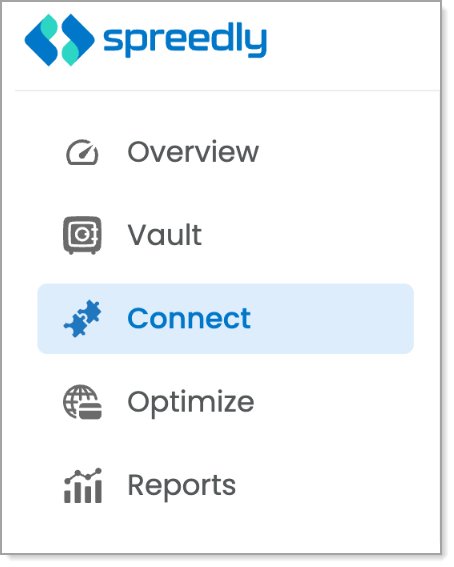
- Log in to the Spreedly Dashboard using your credentials, then select Connect.
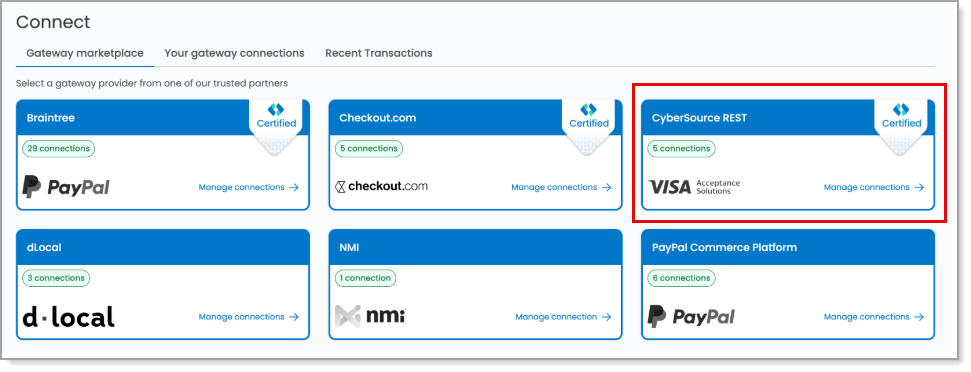
- Select Add Gateway, then click the CyberSource REST Visa Acceptance Solutions tile from the available gateway options.
- Select the appropriate payment environment (Live/Production or Test/Sandbox).
- Complete the fields in the Create CyberSource REST Connection window with the required credentials, including the Merchant ID and security keys (SOAP and/or REST, as applicable), then click Save Changes.
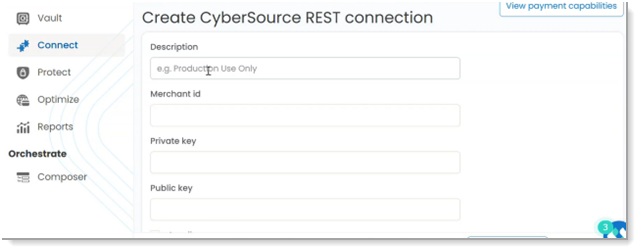
- Private key: Enter the REST Key ID
- Public key: Enter the REST Shared Secret Key
- Confirm connection. The CyberSource Extension (Visa Acceptance Solutions) is successfully connected to Spreedly when the gateway status displays Active on the Connect page and no validation or credential errors are shown. The gateway will also appear in the list of configured gateways under Connect.
To disconnect payments through Bank of America
If you need to disconnect payments through Bank of America, contact Spreedly for assistance.
IMPORTANT!
When engaging with Spreedly Support, be sure to specify that you are using the CyberSource Extension (Visa Acceptance Solutions) to process payments.