Cellular Service for Point of Sale Solution
Description
What's in this article?
IMPORTANT!
Cellular connection requires that Roaming is enabled on your device. Roaming is enabled in Settings > Mobile network.
Cellular Service is an optional value-added service for the Hybrid A800, Tablet A3700, Mini Station A3700P and Pocket A6630. This service enables transactions to pass through cellular communication networks to the bank for processing.
Your device will arrive cellular-ready. When Wi-Fi is turned off or unavailable, the device will switch to cellular service if you have Cellular Service. Cellular services are provided by the best available 4G network for the device location.
Enable roaming
Once your Cellular Service is activated, the device automatically uses cellular communication when the Wi-Fi connection is unavailable. Roaming must be enabled on your device. 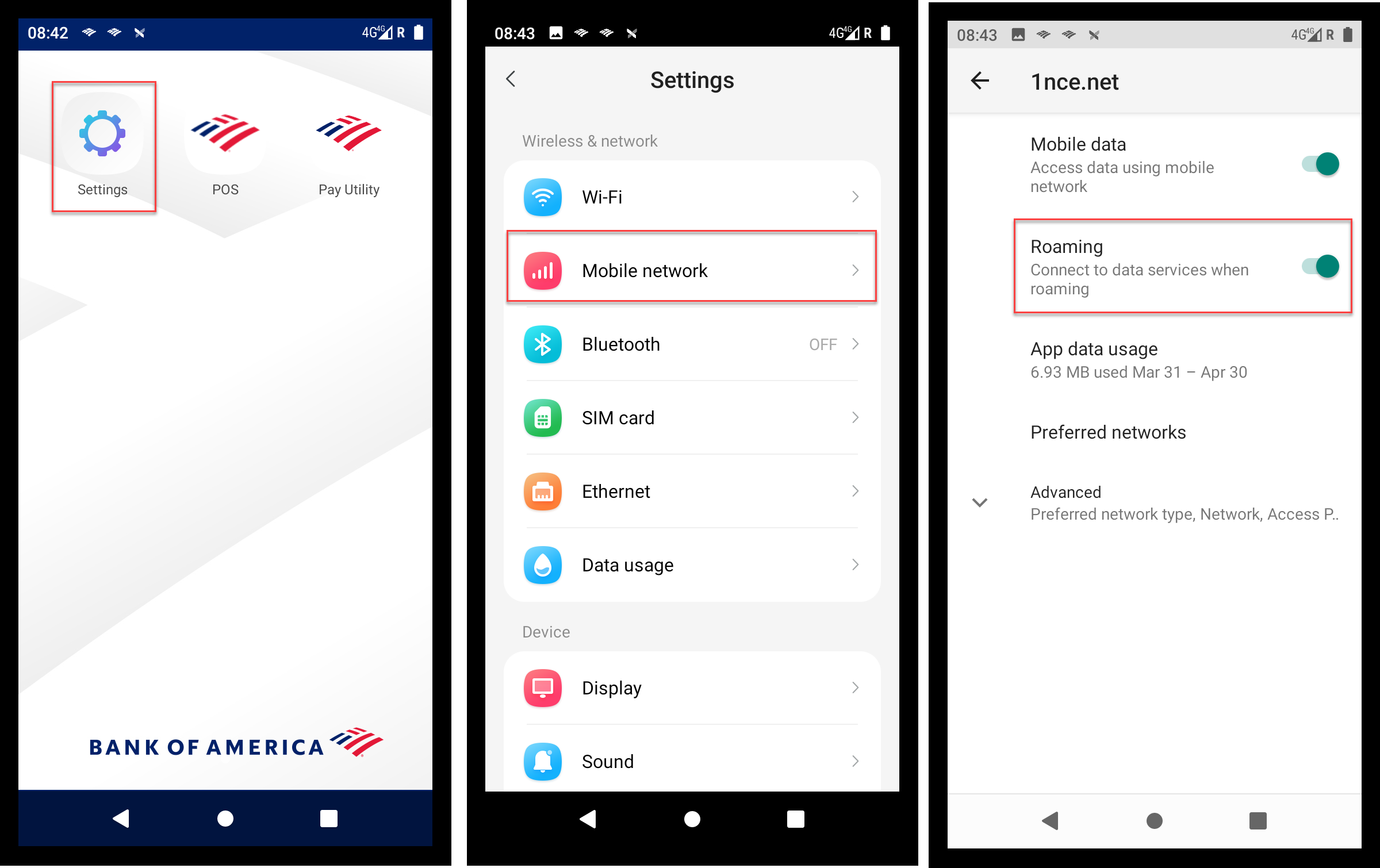
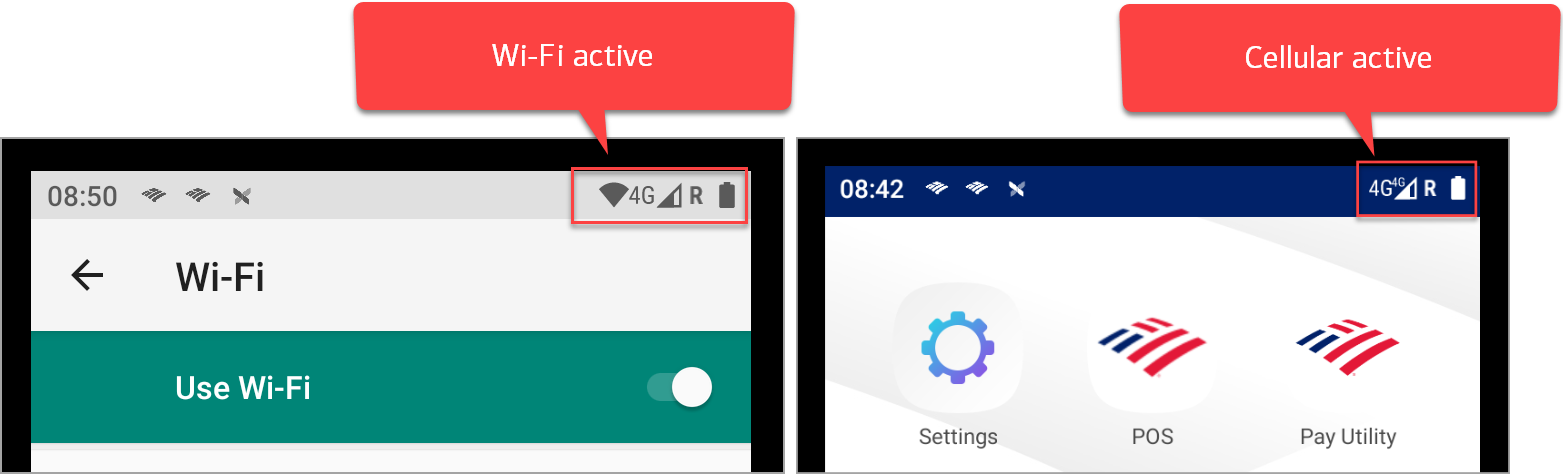
To manually switch to cellular communication, disable your Wi-Fi. When your Wi-Fi is active, the Wi-Fi icon appears in the top right corner of the screen in front of the 4G.
Add or remove cellular service
Cellular Service may be added at any time. If you did not choose to add the Cellular Service option when creating your Merchant Services account, you can call us to add it later. The monthly service fee for Cellular Service is assessed for each month that a device has activated service.
When a device activates service, a charge will appear on the monthly statement for that device, regardless of when during the month the service activates. The service fee is not prorated. To remove Cellular Service, contact us to have the service removed from your account.