
Retail Solution Release Notes

March 27, 2026

Description

Release notes for the Retail Solution

What's in this article?

Solution:  Retail


Release 2025.6.1

The following Back Office features are now launched in the Ver. 6.6 Retail Solution update. 

Security and performance notification


This update will improve security and performance and keep your application compliant with payment network requirements. Upgrade by April 8, 2026 to ensure communication is not interrupted between your point of sale and Back Office. 

To you view your application version in Back Office, click My Account > My Devices. 


User interface update


The Back Office user interface (UI) has been updated to provide improved navigation and larger screen room. A temporary banner will appear on on your Back Office browser page that will direct you to more information on this update. 
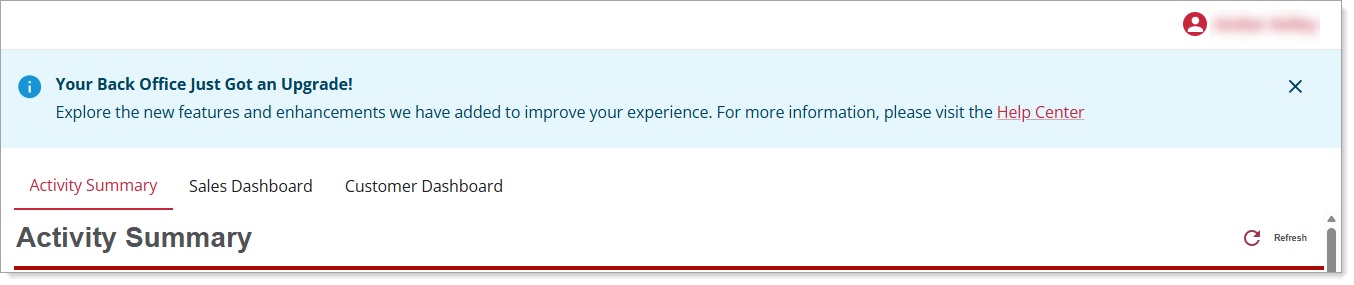
Banner notification advising of the update to the UI with a link to the MHC article discussing the update.


Authentication update for Customer List report


To protect sensitive customer information, Account Managers accessing their customer list will be required to complete an additional verification step to view and download customer data. You will be prompted to enter a one-time verification code sent to the mobile device number on file. Follow the on-screen instructions to retrieve and enter the code to proceed.


Release 2025.6

The following Back Office features are now launched in the Ver. 6.6 Retail Solution Point of Sale update.

EBT enhancements


Enhancements to the previous 6.5 Retail Solution release for EBT include EBT-related detail on receipts, weighted‑item returns, and cash rounding for refunds. See the EBT section of the Retail Solution FAQ for more information on these enhancements. For general information on EBT visit Electronic Benefits Transfer (EBT) Overview.


Release 2025.5

The following Back Office features are now launched in the Ver. 6.5 Retail Solution Point of Sale update.

EBT SNAP acceptance


Merchants will now have the ability to tag EBT qualified items and accept EBT payments.

NOTE:
Merchant must have an Food and Nutrition Service (FNS) number to accept EBT payments.


The following articles have been updated for this enhancement:

Article updated and description of what's new.
UpdateWhat's New
Back Office EBT Setup in Retail SolutionNew article on how to set up EBT as an accepted payment method.
Back Office Payment Method ConfigurationAdded EBT as an acceptable payment method for Retail Solution only.
Back Office Item Sale Restrictions in Retail SolutionAdded  EBT as a Restriction Type. Also added accordion on how to remove a restriction. 
Electronic Benefits Transfer (EBT) OverviewAdded Retail Solution to FAQ advising on what solutions support EBT.

Enhanced scanning


Merchants can now attach scannable codes to the SKU and PLU fields and use these to ring up items on the point of sale terminal. See Back Office and Point of Sale Item Setup.


Signatures on receipts


Merchants can now indicate if they’d like to require signatures on higher priced receipts and remove this requirement from lower valued receipts; thus allowing additional protection of high payments and expediting payments of all other customers. See Back Office Payment Method Configuration.


Release 2025.3

The following Back Office features are now launched in the Ver. 6.4 Retail Solution Point of Sale update.

Receipt printer font sizes


Payment terminal receipt printer configuration now provides small, medium (standard) and large font size options for printing receipts. The font size options are not available on the thermal printer.


Enhanced tax brackets


Allows retailers to apply multiple tax rates on items based on pricing levels. (i.e. Items $120 will be taxed at a 4.5% rate. If said item is discounted below $110, then the tax rate drops to 0%). See Back Office Tax Categories.


Release 2024.8

The following Back Office features are now launched in the Ver. 5.12 Retail Solution Point of Sale update.

End of day reporting email support

Enabled end of day reporting email, which is selected as a user role feature. See Back Office End of Day Reporting


Did you find this article helpful?