Point of Sale Solution App Online Orders
Description
What's in this article?
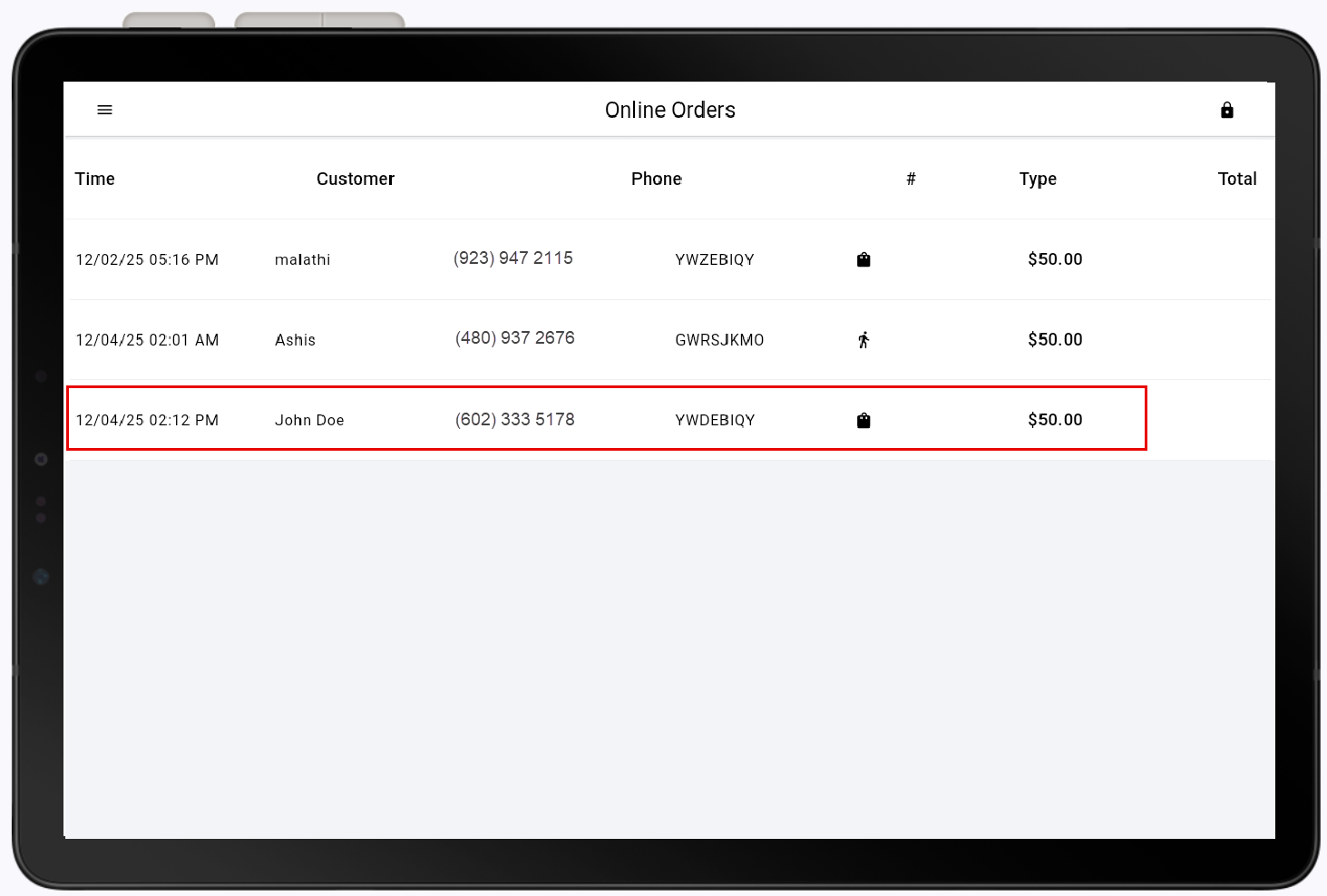
Online orders made through your ecommerce or ordering site will appear on your Point of Sale Solution app to be completed. Online order details include the time the order was made, customer name, phone number, order number, order type (delivery/pickup), and total. Depending on your online settings in Back Office, managing your online orders may include authorizing an order and taking a payment.
Manage online orders
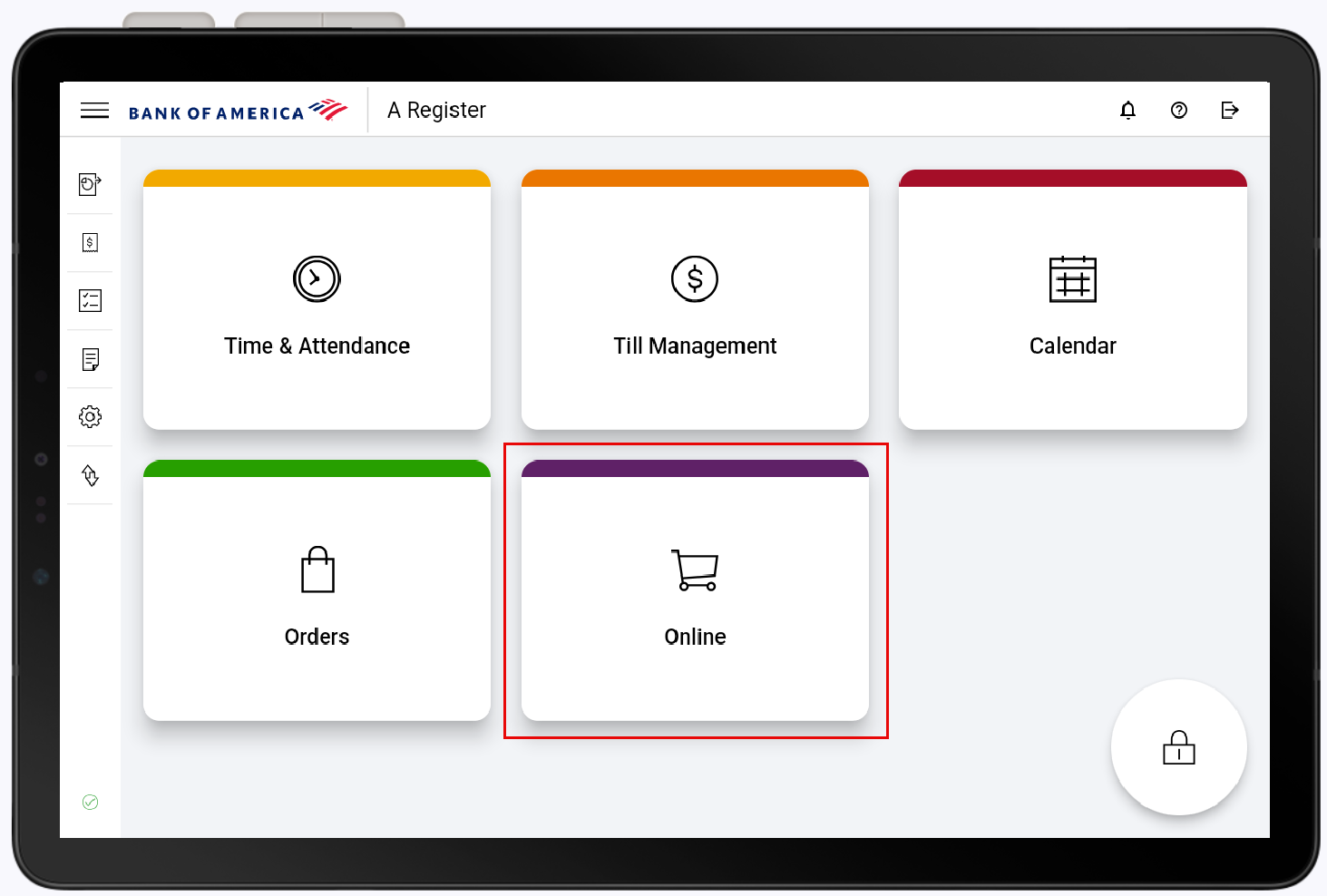
Incoming online orders are available in the Online tile in the Point of Sale App. If you have items that should route to a kitchen printer, they will automatically print to the kitchen printer within 15-40 minutes prior to the time pickup/delivery time.
To manage online orders
- In the Point of Sale Solution App, tap Online.
- (Optional) If your online order settings require orders to be authorized before they can begin, incoming orders to approve display. Tap an order to approve or reject it. Orders requiring authorization will not go to your kitchen printer until they are approved.
To authorize an incoming order
- In the Online Order view, tap the desired order.
- Select an authorization option:
- Tap Approve to move the order to the next step in the fulfillment process.
or - Tap Reject to move the order to the Rejects section of the Online Orders menu. The customer will be sent a notification that their order has been cancelled.
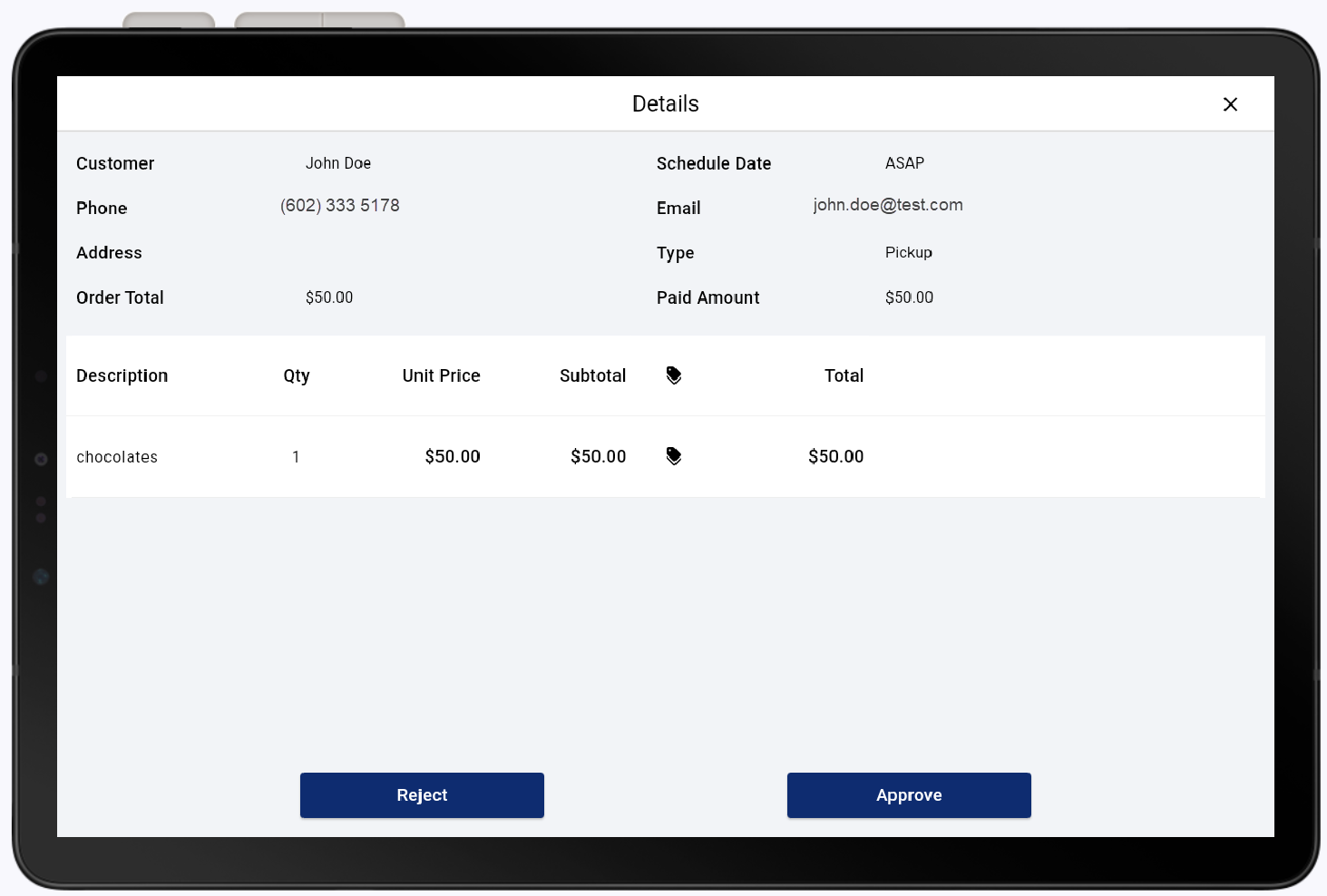
- Tap Approve to move the order to the next step in the fulfillment process.
- In the Online Order view, tap the desired order.
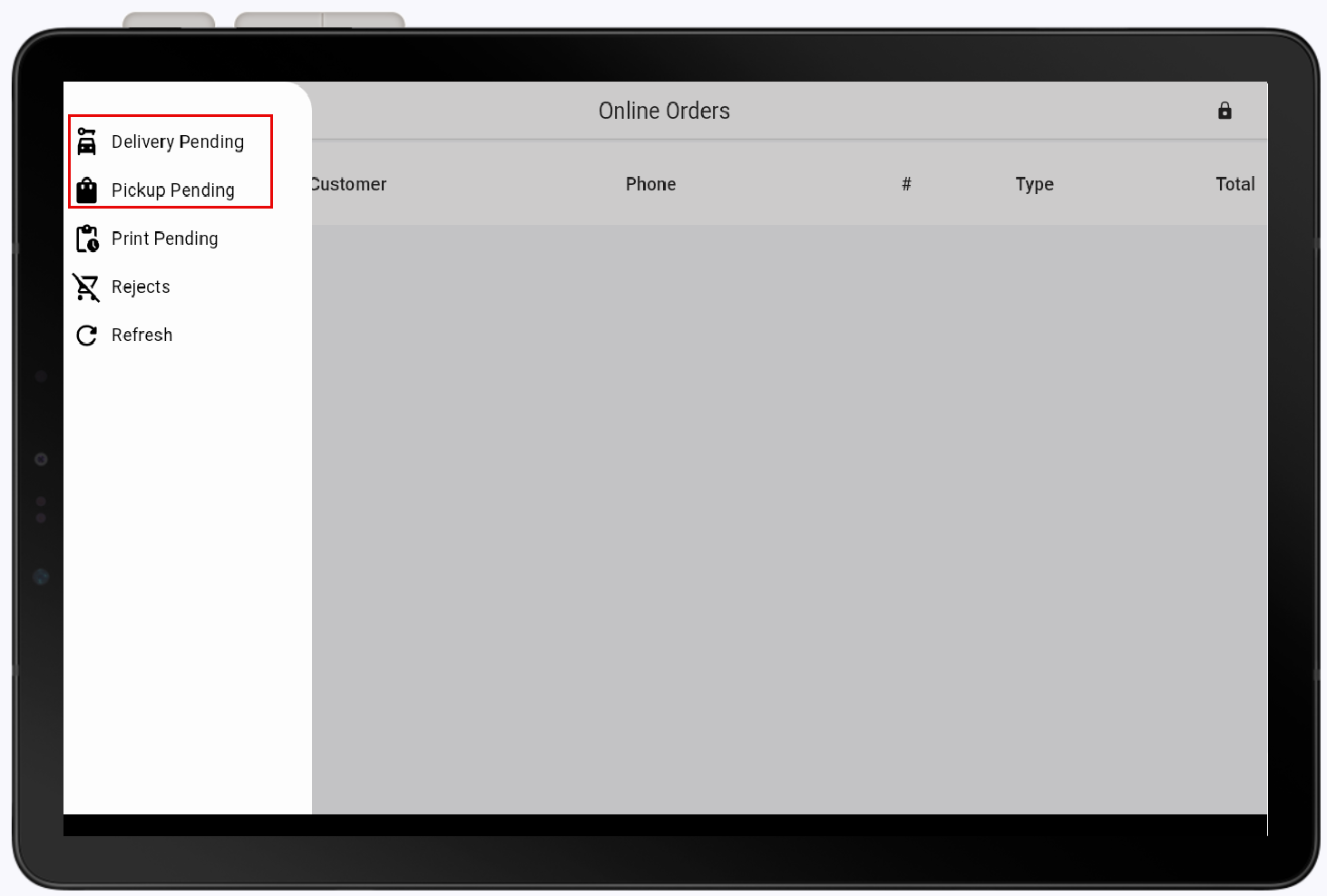
- Tap the ☰ icon to expand the menu.
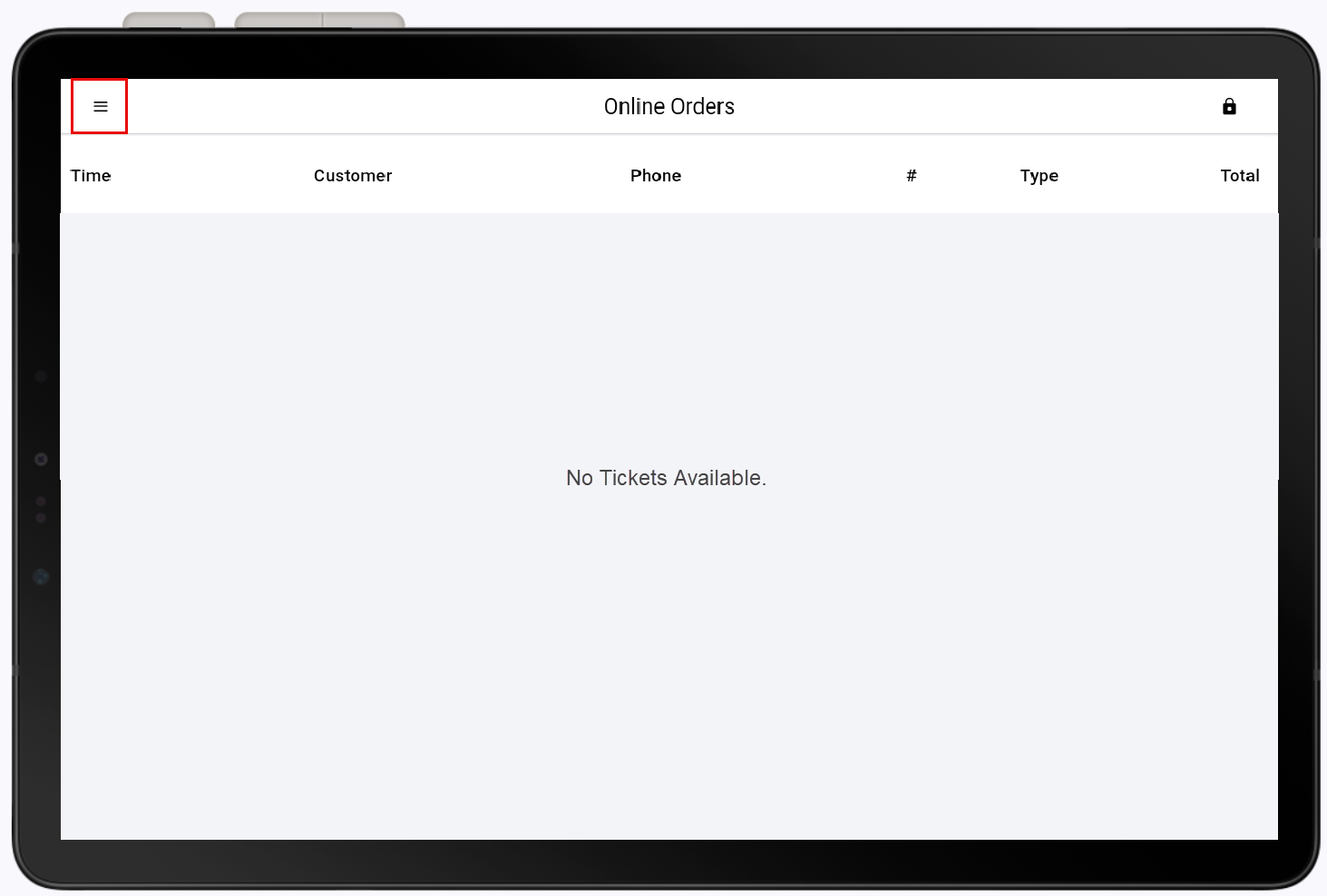
NOTE: If you are not approving orders, the Online Orders view will be empty.
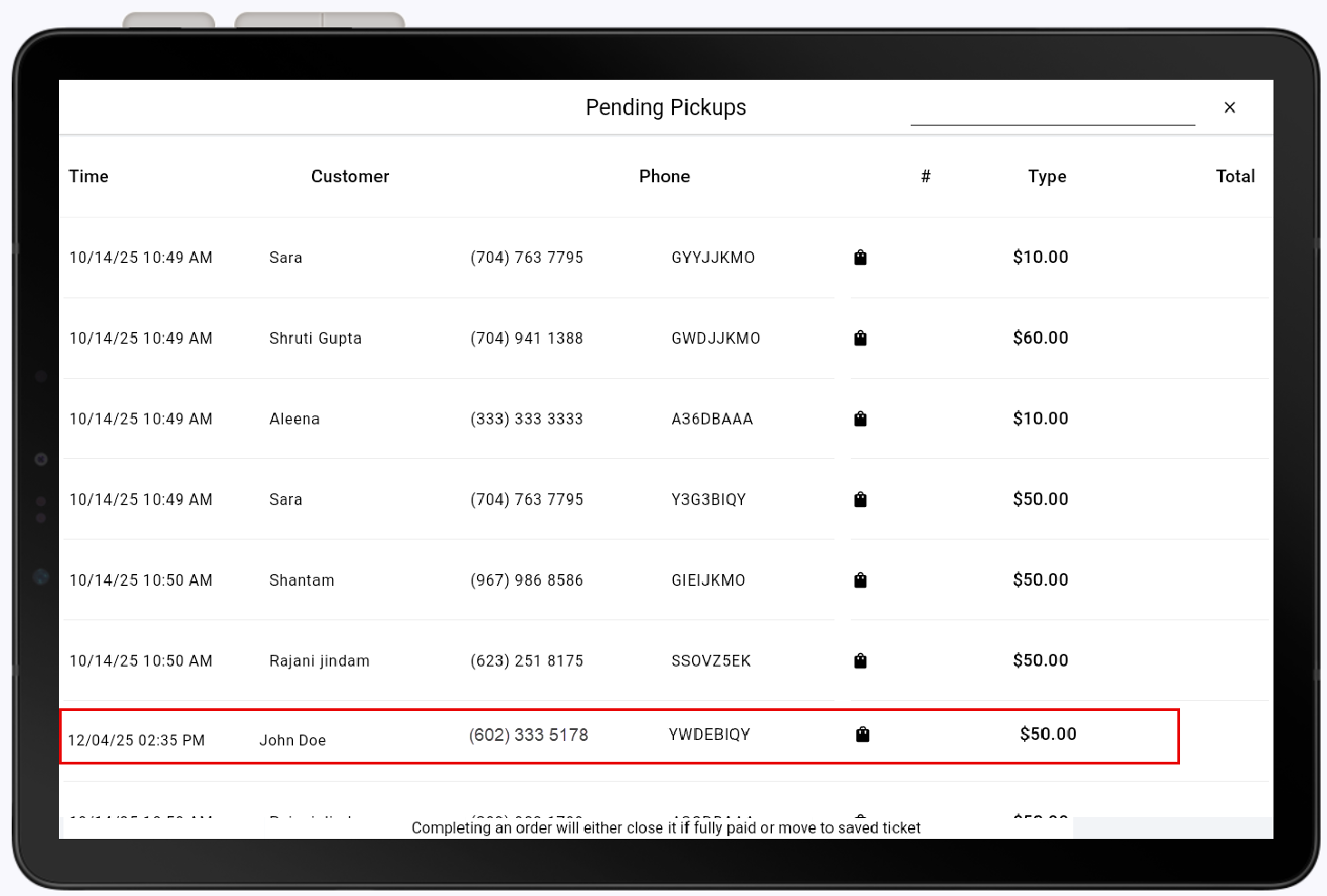
- Select Pickup Pending or Delivery Pending depending on the order type.
- Tap the desired order.
- (Optional.) If payment was not completed online and still needs to be collected, Tap Pay and collect payment. Pay option will be greyed out if the order has already been paid.
- Tap Complete to complete the order. When an order is completed, it moves to the order history.
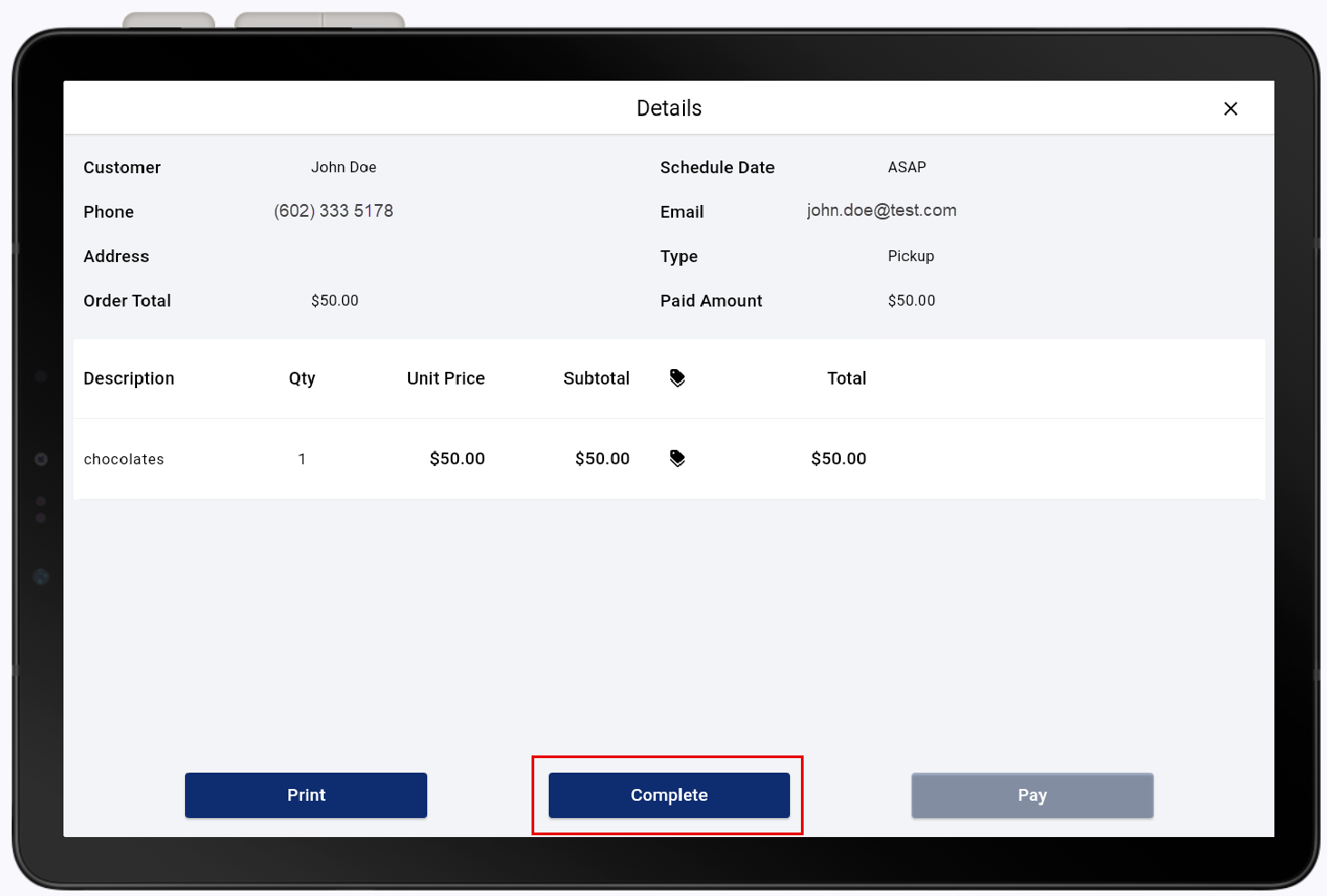
IMPORTANT! If the order is completed before accepting payment, you will will need to retrieve the saved ticket from the order history to complete payment.
Manually send an online order to the kitchen
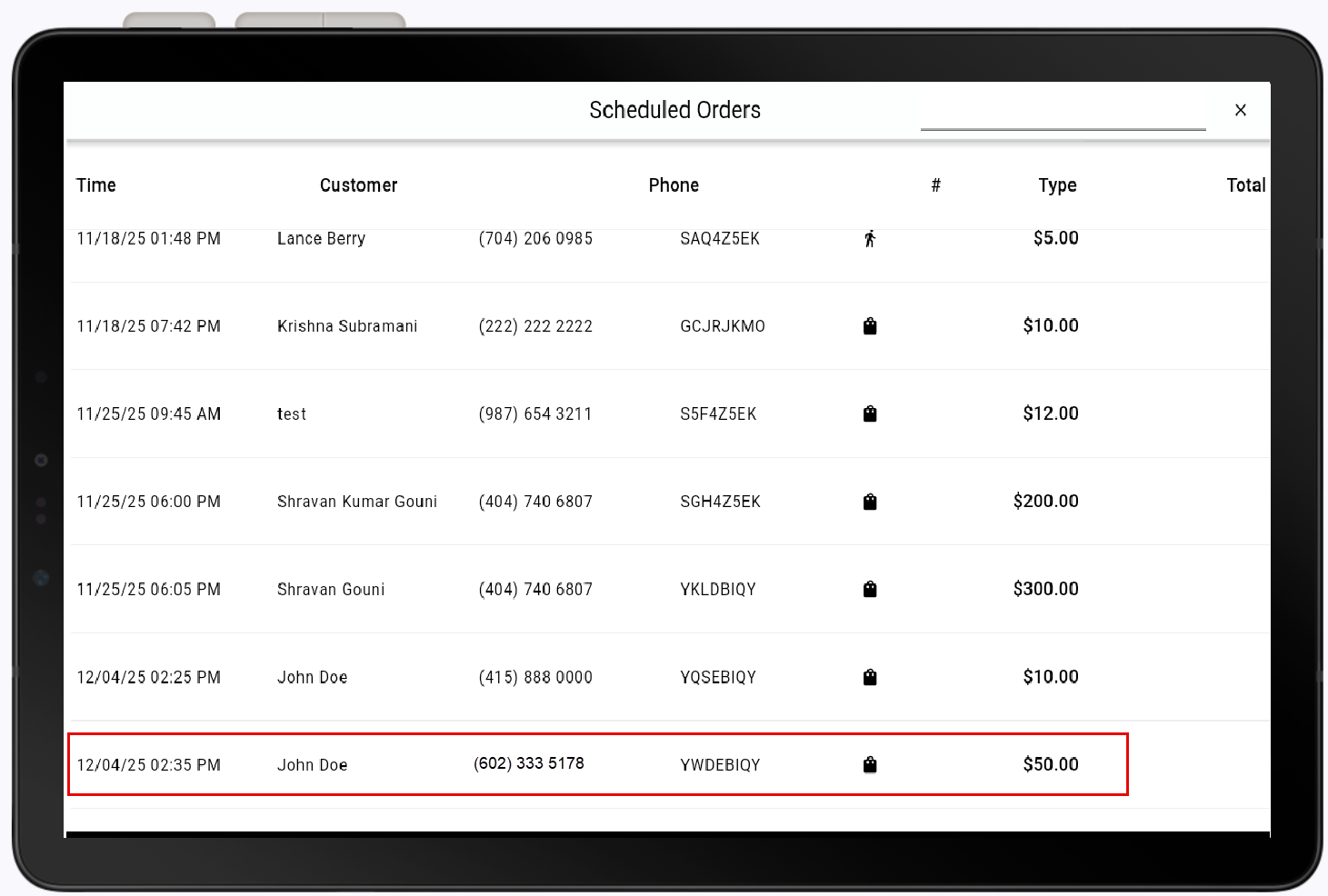
Incoming orders will normally print to your kitchen printer at the appropriate time for order to be made for the intended delivery or pickup time window. If you need to expedite an order, such as if a customer arrives early, you can send the order to the kitchen manually.
To manually send an order to the kitchen
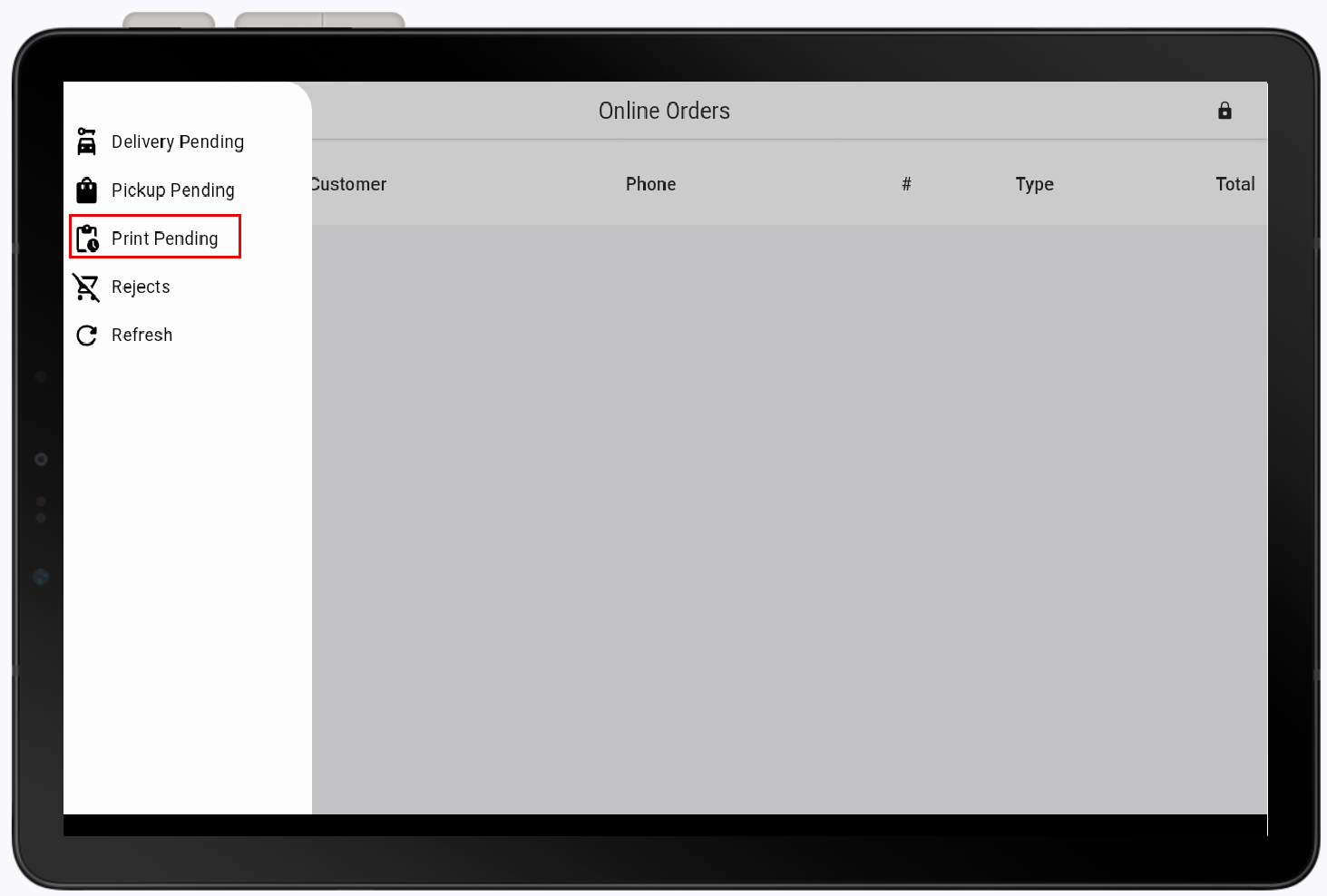
- Tap Print Pending to view scheduled orders.
- Tap the desired order.
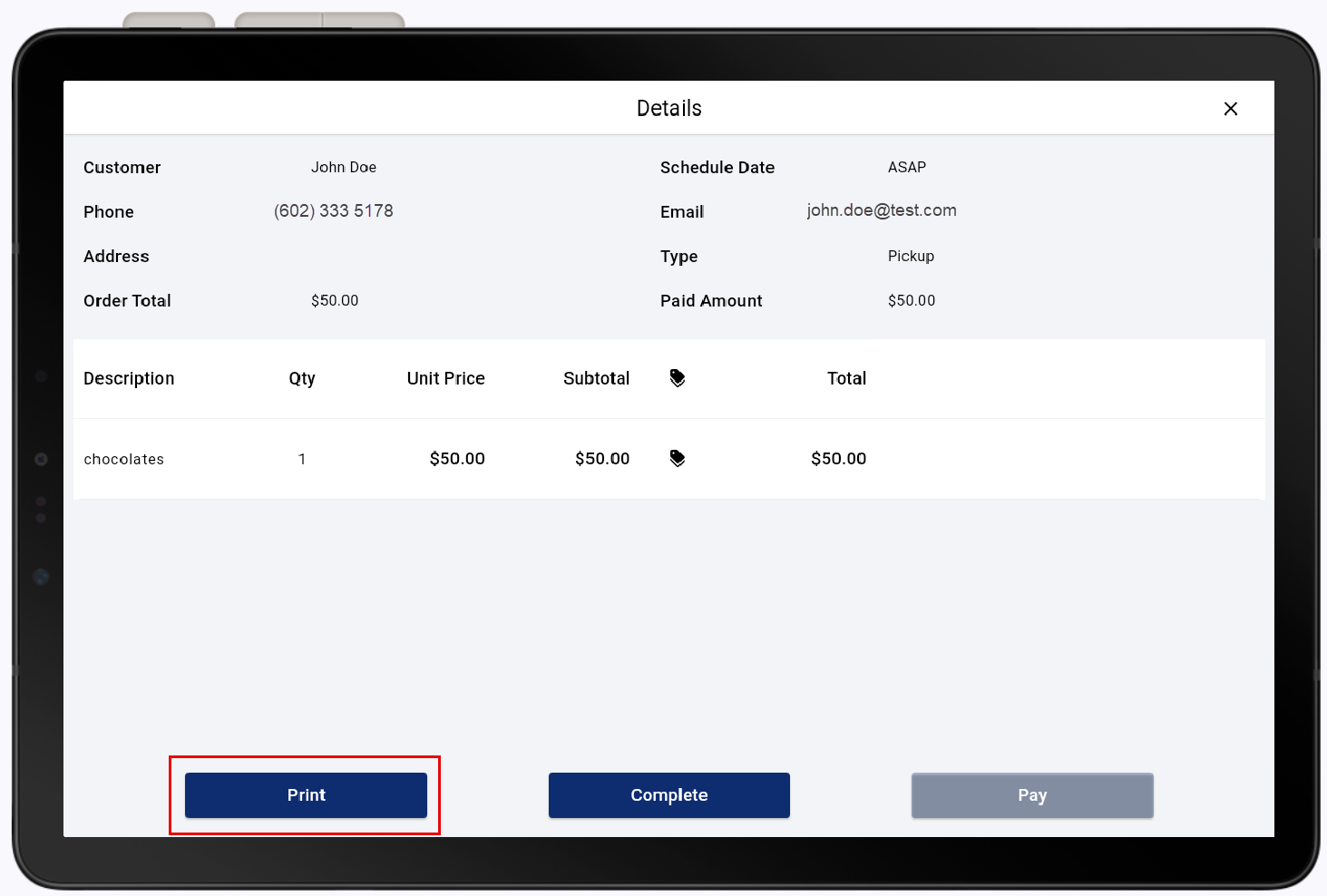
- Tap Print.
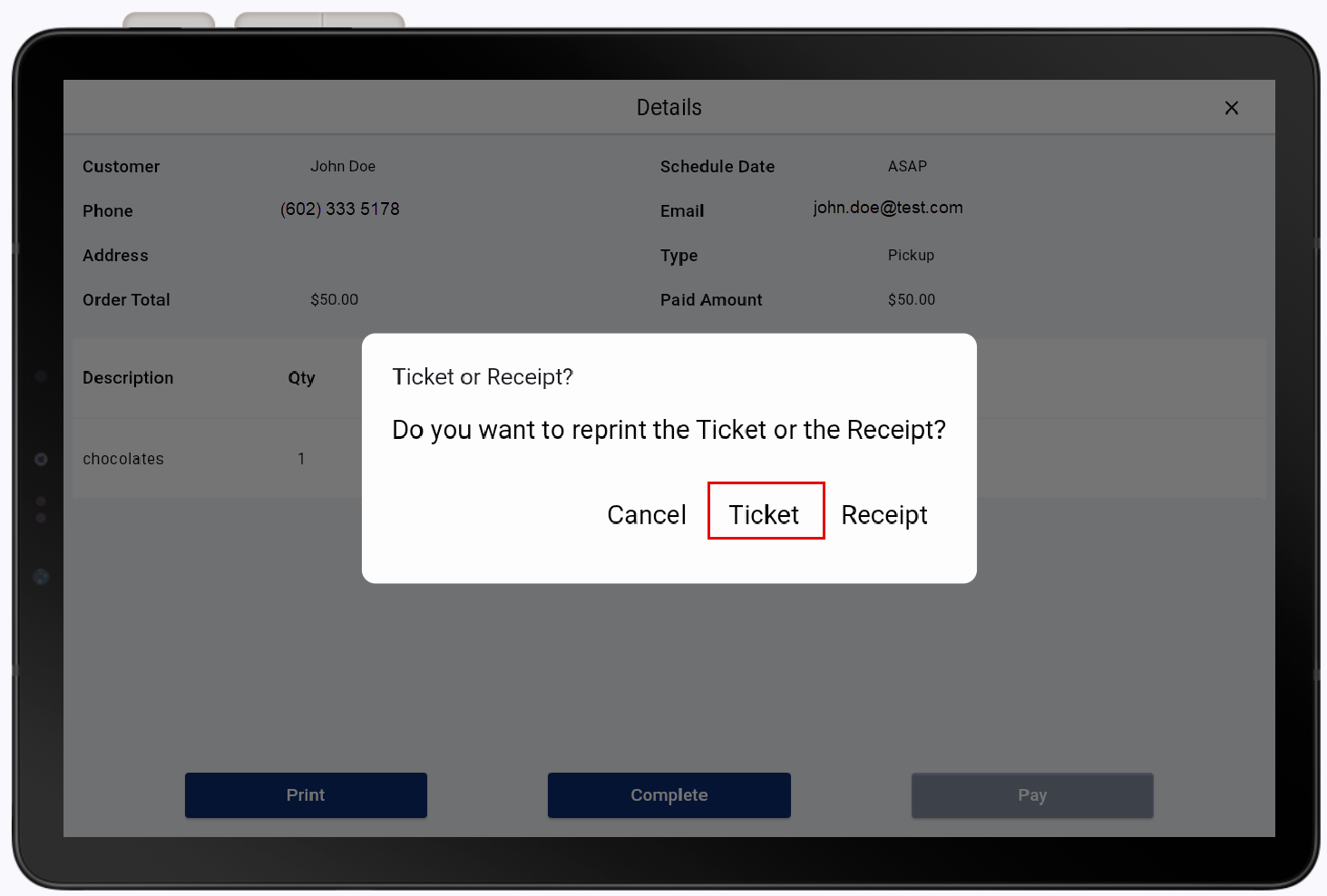
- Tap Ticket.
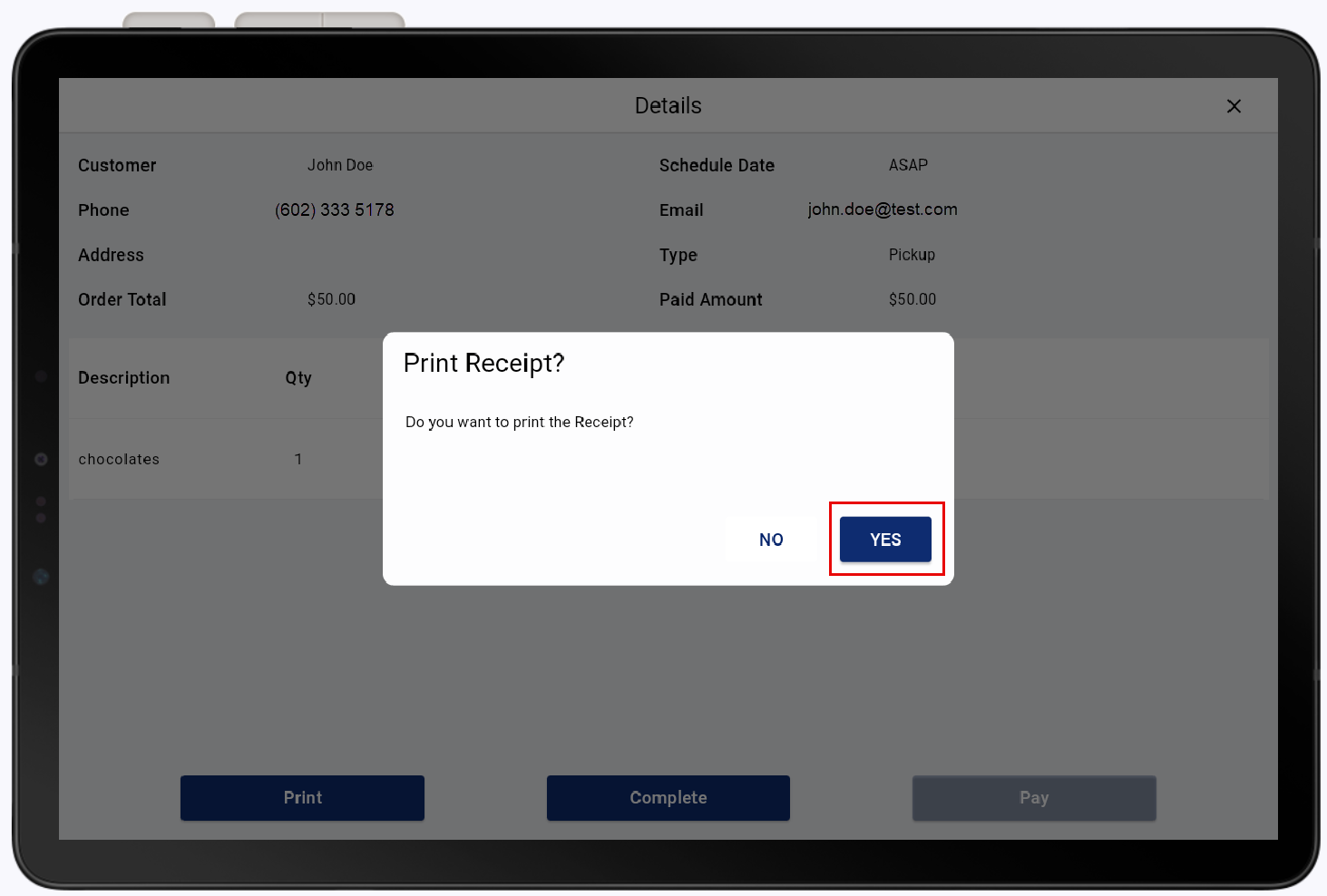
- Tap Yes.
Print an online order receipt
You can print or reprint the receipt for an online order, if needed.
To print on online order receipt
- In the Online Order view, tap the ☰ icon.
- Tap Print Pending to view scheduled orders.
- Tap the desired order.
- Tap Print.
- Tap Receipt.
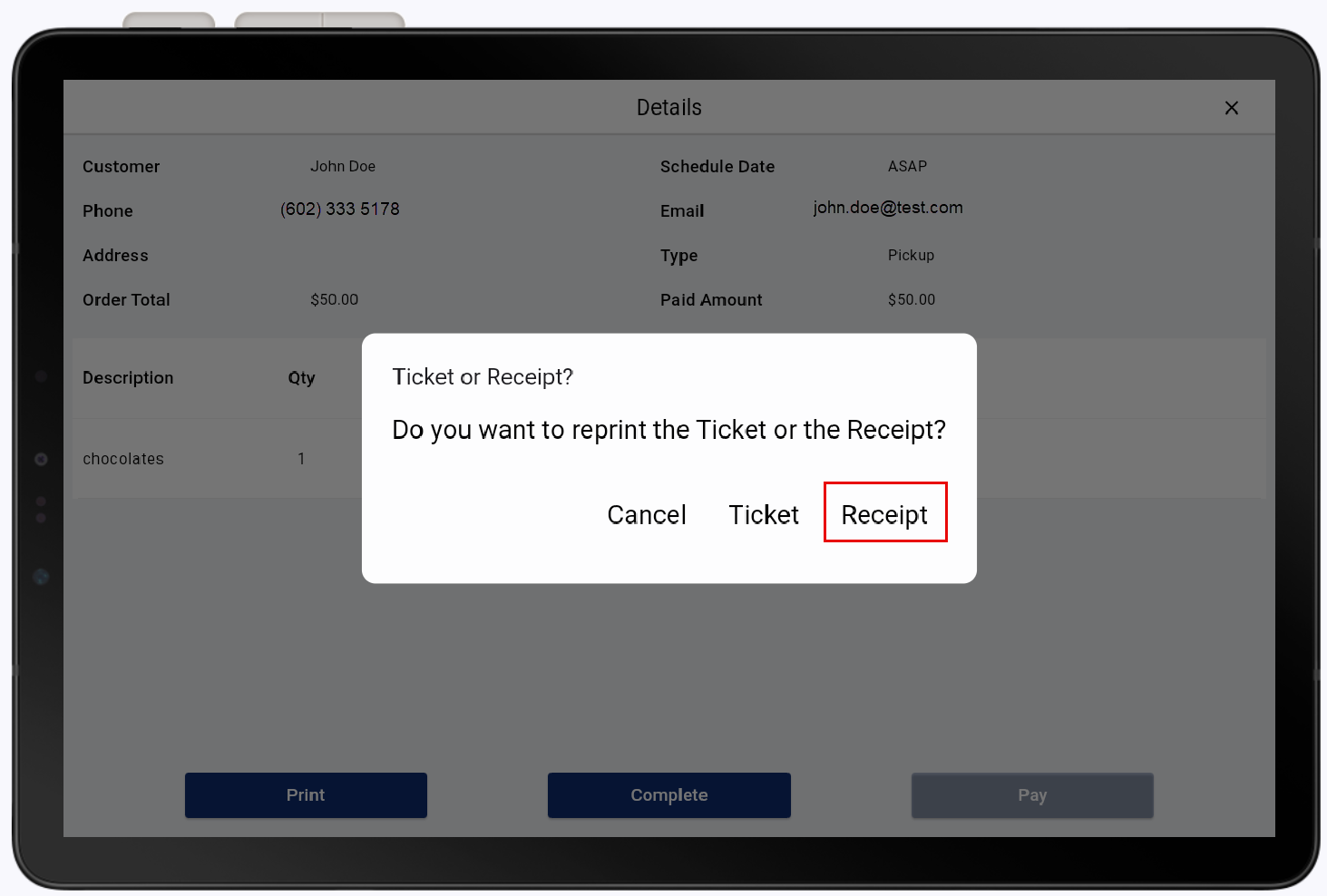
- Tap Yes.
Review rejected orders
You can view orders rejected during the authorization process. Tap Rejected Orders from the navigation, then tap an order to see details. Rejected orders will be available for review for 24 hours in this view, but can be researched for up to a year through Order History. If you need to reinstate a rejected order, the customer will need to order the item again online.